community streaming
Quick Setup
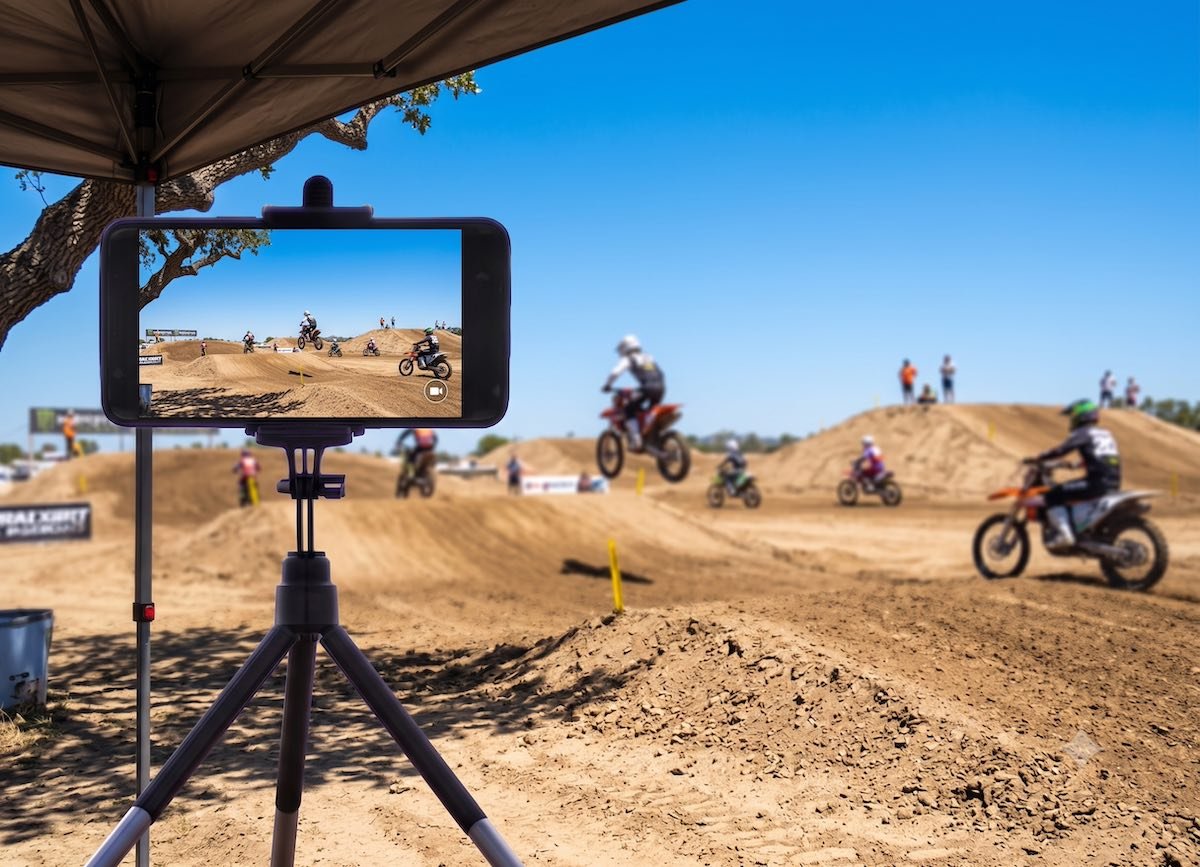

Outdoor events are where live streaming matters most and where lighting causes the most problems. Here's how to manage the sun before it manages your stream.
Most indoor streaming problems are easy to diagnose — a room is dark, or a window is behind the subject. Fix the light source or change the angle and the problem resolves. Outdoor events are harder because the light source moves, changes intensity throughout the day, and covers the entire venue. You can't turn it off.
The good news is that most sun-related streaming problems have the same cause, and that cause has a straightforward fix.
A phone camera is an automatic system. It looks at the scene and chooses an exposure — a balance of brightness — that makes the overall image look correct. When a bright light source is in the frame or entering the lens, the camera treats that brightness as the reference point and darkens everything else to compensate.
The result is a subject that appears dark or silhouetted against a bright background. The track is washed out. The riders are dark shapes. The faces of the players are hard to make out. The ceremony looks like it's happening in shadow even though the sun is shining.
This is not a camera quality problem. It's a positioning problem.
The sun should be behind the camera — or to its side — not behind the subject.
When the camera faces toward the sun, the sun is in or near the lens and everything in front of it goes dark. When the camera faces away from the sun, the subject is lit from the front, the sky is behind the camera, and the exposure is balanced. The image looks the way the eye sees it.
Before locking a camera position at any outdoor event, stand at that position and look toward where the action will be. Is the sun in front of you — meaning it's behind your subject? Move until it isn't. Even a 45-degree shift in camera position can change a silhouetted subject into a well-lit one.
A dirty lens in direct sunlight produces streaks, hazes, and glare artifacts that a clean lens would not. Dust, fingerprints, and smudges scatter incoming light and amplify the problems direct sunlight creates.
Before every outdoor event, wipe the camera lens with a clean microfiber cloth — or the inside of a clean t-shirt if that's what's available. This takes ten seconds and eliminates an entire category of streaming quality problems.
Sometimes the action dictates where the camera goes — a start gate is at the west end of the track, the sun sets in the west, and there is no better camera position for the holeshot than facing into the afternoon sun. The positioning rule doesn't always win.
When you can't change position, shade the lens.
A cap brim held above the lens, a piece of cardboard taped to the tripod, or even a hand cupped above the phone blocks direct sunlight from hitting the lens and reduces glare significantly. The shade only needs to cover the lens — not the subject — so even a small improvised shade makes a meaningful difference.
This is the same principle as a lens hood on a professional camera. The hood creates shade for the lens without affecting what the camera sees. A hat brim or a cupped hand does the same thing at zero cost.
The sun is at its harshest when it's directly overhead — roughly 10am to 2pm depending on the time of year and location. The light at midday comes straight down, creates strong shadows, and overwhelms phone camera sensors more than any other time of day.
Earlier in the morning and later in the afternoon, the sun is lower in the sky and the light travels through more atmosphere before reaching your camera. This diffuses it — the shadows are softer, the contrast is lower, and phone cameras handle it significantly better.
For events you can influence — a rehearsal, a setup test, a choice between two scheduling options — earlier morning or later afternoon almost always produces better footage. For events with fixed timing, this is context to keep in mind when positioning cameras: where will the sun be during the event, not just where it is now when you're setting up?
This surprises most people. The instinct is that bright sun means good lighting. For outdoor streaming, overcast conditions are usually better.
Cloud cover diffuses sunlight. The same brightness reaches the ground, but it comes from the entire sky rather than a single point source. Shadows are softer. Contrast is lower. Phone cameras don't have to make difficult choices about which parts of the scene to expose correctly. The result is footage that's easier to watch and requires no positioning tricks to achieve.
This is useful information in one practical way: if an event runs on a partly cloudy day, don't assume the stream quality will be inconsistent. The cloudy moments will likely look better than the sunny ones.
There are two distinct sun problems for outdoor streaming devices: what the lens sees and what the phone's body temperature does to performance.
A phone in direct sunlight heats up faster than a phone in shade. When a phone overheats, the processor throttles its performance to protect the hardware — and streaming is one of the first processes that suffers. The camera feed can drop quality, the stream can lag, and in severe cases the phone can pause the stream entirely to cool down.
The lens shade described above helps the image. Shading the phone body helps performance. If a camera is mounted in a fixed outdoor position for several hours, position it so the body — not just the lens — is out of direct sun where possible. This is particularly relevant for race day events that run 4–8 hours in summer conditions.
Races and Competitions Full-day outdoor events are the scenario where sun management is most critical. Before the event starts, walk each camera position and note where the sun will be — not just at setup time, but during the key parts of the day. A camera position that works at 9am may have the sun directly behind the subject by noon. Plan positions for where the sun will be during the motos that matter most, not just during setup.
Events and Community Most memorial services and worship services are indoors and sun management doesn't apply. Outdoor ceremonies — graveside services, garden weddings, outdoor memorial gatherings — do encounter direct sun. The same rule applies: position cameras so the subject is facing the sun, not backlit by it. For a ceremony with a fixed position and sun problems, a shade canopy or tree cover near the camera position is worth seeking before the event starts.
Youth Sports Morning games are typically easier to stream than afternoon games. Fields that run east-west put one team's goal directly into the morning or afternoon sun depending on which half is which. For multi-game tournament days, the afternoon camera positions are the ones to check and potentially reposition.
Health and Fitness Outdoor yoga sessions and fitness events typically happen in the morning, which is the most manageable time of day for sun positioning. Position cameras so the instructor faces the camera with the sun coming from behind or beside the camera rather than behind the instructor.
The most common outdoor streaming failure is a well-intentioned volunteer pointing their phone at the action without checking where the sun is relative to the subject. Three seconds of checking before locking the position prevents an hour of dark, backlit footage.
Try Switcher Now free at switchernow.com. And check where the sun is before you tap Start Broadcasting.