You've set up the cameras. You've checked the signal. You're ready to go live. Now make sure the people who should be watching actually know how to find it.
The most common streaming problem that doesn't involve any technology is this: you go live, everything works, and the people you were streaming for never found the link.
They didn't get it in time. They didn't know where to look. They got it the moment the event started and couldn't figure out how to open it on the right device. The stream ran beautifully and nobody watched.
Sharing the watch link well is the part of the setup that determines whether going live actually means anything. Here's how to do it right.
Your watch link is ready before you go live
As soon as you create your event in Switcher Now, a private watch link is generated automatically. You don't need to go live first. The link exists, it works, and anyone who opens it will wait there until the stream starts.
This matters because it means you can share the link days before the event — not minutes before the gate drops or the service begins.
Share it earlier than feels necessary
The right time to share your watch link is the night before the event, not the morning of.
Here's why: the people most likely to watch are the ones with the most friction — the grandparent who needs help finding it on their phone, the family member in a different time zone who needs to plan ahead, the parent who will be driving to another game and needs to set up the link before they leave.
A link shared the night before gives everyone time to open it, confirm it works on their device, and be ready when the stream starts. A link shared 10 minutes before the gate drops reaches people who are already distracted and unlikely to act.
The research on live streaming confirms this: sharing a link at least 48 hours before your event produces meaningfully higher viewership than last-minute sharing. For community events, the night before is the practical minimum.
The right channels by audience
Different audiences live in different places. Send the link where your audience already is — don't make them go somewhere new to find it.
Races and Competitions Your club almost certainly has a parent notification group chat — iMessage, WhatsApp, GroupMe, or a Facebook group. Drop the link there the night before the event with a short message: "We're streaming tomorrow's race. Here's the link to watch from anywhere." If you have an email list, send it there too. Two channels is plenty.
Events and Community Memorial services: the link goes directly to the family contact — text or email, personal and private. They share it with extended family themselves. You don't need to broadcast it. Weddings and celebrations: the link goes in the digital invitation or is texted to the people who were invited but couldn't attend. Worship services: the link goes in the weekly email bulletin the night before the service and in the congregation group chat if one exists.
Youth Sports The team app — TeamSnap, SportsEngine, or whatever your league uses — is the right channel. Drop the link in the team chat the night before. Follow it with a text to the parent group if you have one. Coaches who remind parents the day before the game produce audiences. Coaches who post the link during warmups do not.
Health and Fitness Email your class or event registrant list directly. One email, the day before, with the link and one line: "Can't make it in person? Watch live here." For studio events with a known audience, this is the only distribution you need.
What to say when you share it
The message doesn't need to be elaborate. It needs to answer three questions the recipient will have before they decide whether to click:
- What is this?
- When does it start?
- How do I watch it?
A message that does all three in two sentences:
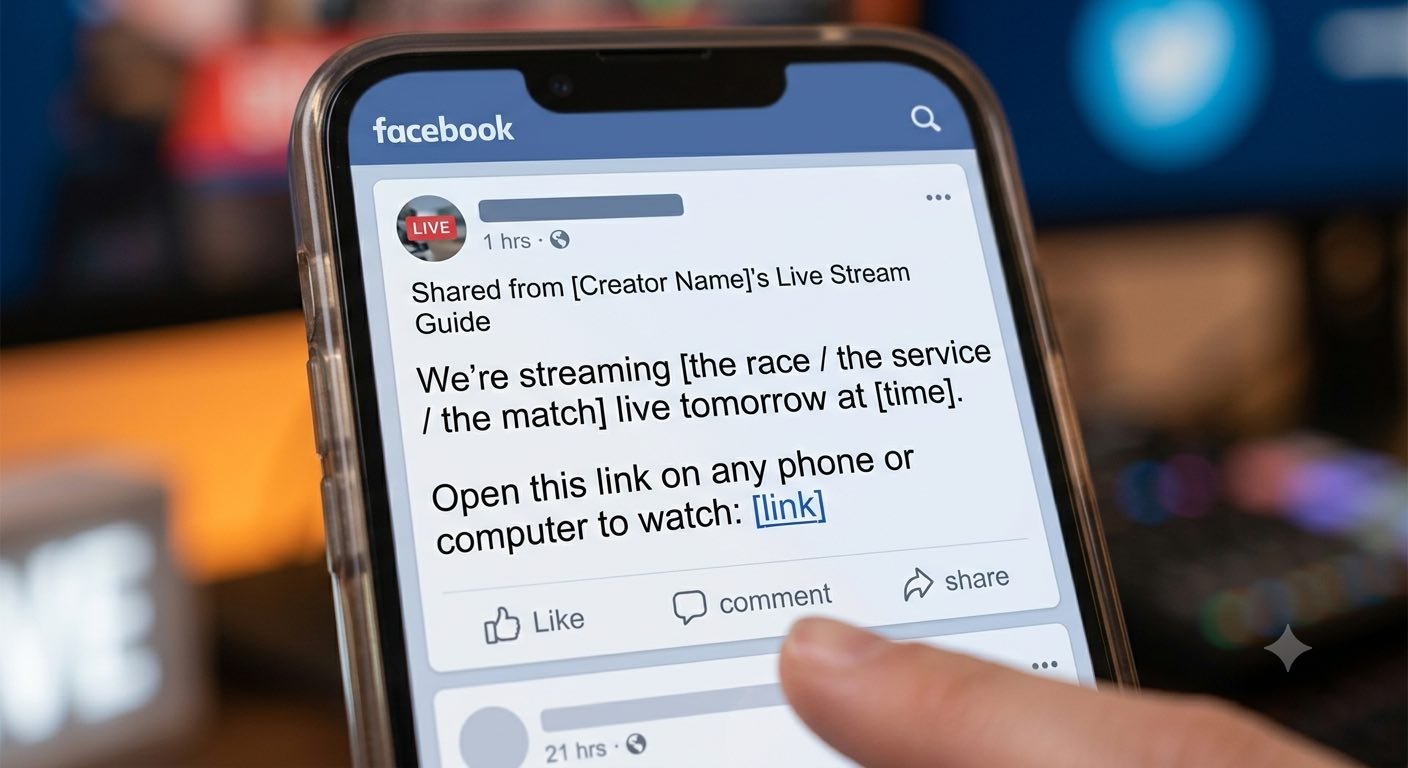
"We're streaming [the race / the service / the match] live tomorrow at [time]. Open this link on any phone or computer to watch: [link]"
That's it. No instructions needed beyond that. The link opens in a browser — there's nothing to download, nothing to install. The simpler the message, the more people will actually follow through.
Where most people go wrong
Sharing it only on social media. A Facebook post reaches the people who happen to be on Facebook at that moment and whose algorithm decides to show it to them. A direct text or email reaches the specific people you want watching. For community events, direct always beats broadcast.
Sharing it at the start of the event. When someone receives a link the moment the event begins, they're looking at their phone, clicking a link, waiting for it to load, and missing the first few minutes. They often give up. Share it in advance so they arrive ready.
Sending only one message. A reminder the morning of the event — "Stream starts in two hours, here's the link again" — costs nothing and catches everyone who missed the first message. Two touches produces significantly more viewers than one.
Not confirming it works on different devices. Before sharing the link widely, open it yourself on a phone and on a computer. Confirm it loads, confirm the stream shows as "upcoming," and confirm there's nothing confusing about the page. Thirty seconds of testing saves a dozen confused text messages during the event.
The replay is part of the share
Every camera angle from your stream is recorded automatically. The watch link stays active after the event ends — anyone who couldn't watch live can watch the replay at the same link.
Tell people this when you share the link:
"Even if you can't watch live, the replay will be available at the same link afterward."
This simple addition increases the number of people who open the link, because it removes the pressure of having to watch at a specific time. Viewers who know a replay exists are more likely to watch at all — live or after.
Location-specific checklist
Races and Competitions
- Share in the club parent group chat the night before ✓
- Include the start time and the link in the message ✓
- Send a reminder the morning of the event ✓
- Mention the replay will be available afterward ✓
Events and Community
- For memorial services: send directly to the family contact, not to a group ✓
- For worship services: include in the weekly bulletin email the night before ✓
- Keep the message short — one sentence and the link ✓
Youth Sports
- Post in the team app the night before the game ✓
- Follow up with a text to the parent group if available ✓
- Include the game time alongside the link ✓
Health and Fitness
- Email the registrant list the day before ✓
- One sentence, the link, and the start time ✓
- Mention the replay in the same email ✓
The stream is the event. The watch link is the door. Share the door early, share it directly, and make sure the people who belong there know exactly where it is before the event begins.
Try Switcher Now free at switchernow.com. Your watch link is ready the moment you create your event.